

Stylized 3D modeling is a popular way to create characters, environments, props, products, and game assets with a unique visual style. Unlike realistic 3D modeling, stylized modeling does not always try to copy the real world exactly. Instead, it uses shapes, colors, proportions, textures, and details to create a clear artistic look.
Stylized 3D models can be simple and cartoon-like, colorful and playful, or highly detailed while still using an artistic style. They are widely used in games, animation, advertising, product presentations, virtual experiences, and many other digital projects.
The key to successful stylized modeling is not simply making a model look less realistic. A good stylized model has a clear design, strong shapes, balanced details, and a consistent visual language. This guide explains the main steps, techniques, benefits, challenges, and best practices for creating high-quality stylized 3D models.
What Is Stylized 3D Modeling?
Stylized 3D modeling is the process of creating three-dimensional objects with an artistic appearance that may differ from real-world proportions, materials, or surface details.
For example, a realistic tree may have complex branches, natural bark, and many small leaves. A stylized tree may use a simple trunk, large curved branches, and a few large leaf shapes. Even though the model is less realistic, it can have a stronger visual identity.
Stylization can be used for almost any type of 3D asset, including:
- Game characters
- Creatures and animals
- Weapons and equipment
- Buildings and environments
- Vehicles
- Furniture and props
- Product concepts
- Animated characters
- Educational models
- Marketing visuals
Businesses and game developers can use a professional 3D modeling service when they need custom models created for a particular art style, platform, or project.
Stylized vs. Realistic 3D Modeling
The biggest difference between stylized and realistic modeling is the design goal. Realistic modeling focuses on matching real-world objects as closely as possible. Stylized modeling focuses more on artistic expression and visual communication.
| Feature | Stylized 3D Modeling | Realistic 3D Modeling |
|---|---|---|
| Shape | Can be exaggerated or simplified | Usually follows real-world proportions |
| Colors | Can be bold, bright, or artistic | Usually based on real materials and lighting |
| Details | Selected for visual impact | Often aims for accurate surface detail |
| Textures | May be painted or simplified | Often aims to reproduce real surfaces |
| Proportions | Can be intentionally exaggerated | Usually follows real measurements |
| Primary goal | Style and visual identity | Realism and accuracy |
Why Is Stylized 3D Modeling Popular?
Stylized models can help a project stand out. In games and animation, a unique art style can make characters and environments easier to recognize. This can also make a project feel different from competitors that use highly realistic graphics.
Stylized assets can also be easier to understand visually. Strong shapes and clear colors allow players or viewers to recognize an object quickly, even when the object is displayed at a small size.
Another benefit is creative freedom. Artists do not have to follow every rule of real-world appearance. They can change proportions, simplify details, exaggerate features, and create unusual designs.
Common Types of Stylized 3D Models
1. Cartoon 3D Models
Cartoon models often use simple shapes, large features, smooth surfaces, and exaggerated proportions. They are common in family-friendly games, animation, educational projects, and advertisements.
2. Low-Poly Stylized Models
Low-poly stylized models use relatively simple geometry. Their appearance often comes from strong silhouettes, carefully placed polygons, colors, and lighting rather than large amounts of geometry.
Low-poly modeling can be especially useful for games where many assets need to appear on screen at the same time. Understanding the difference between low-poly and high-poly modeling can help you choose the right approach for your project.
3. Hand-Painted Stylized Models
Hand-painted models use painted textures to create much of their visual character. Artists can paint shadows, highlights, color changes, patterns, and other details directly into the texture.
4. Semi-Realistic Stylized Models
Semi-realistic models combine realistic forms with artistic changes. A character may have realistic clothing and materials but slightly exaggerated facial features or proportions.
5. Fantasy Stylized Models
Fantasy modeling gives artists even more freedom. Creatures, magical objects, fictional weapons, and unusual environments can be designed without being limited by real-world shapes.
The Stylized 3D Modeling Process
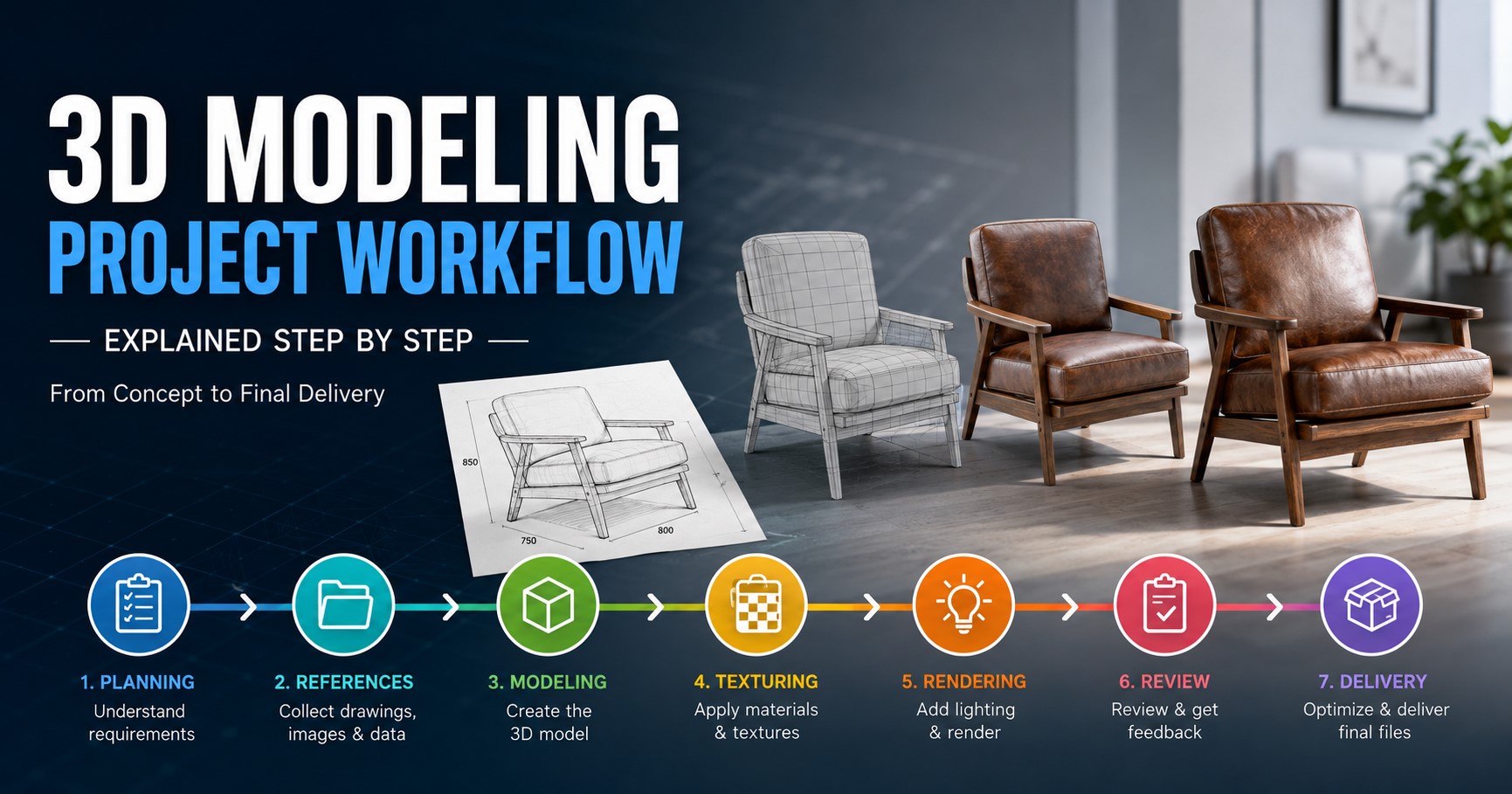
A strong stylized model usually follows a structured production process. The exact steps can change depending on the project, but the following workflow works well for many assets.
Step 1: Define the Art Style
Before modeling begins, decide what the finished asset should look like. Collect reference images and define important style elements such as shape language, colors, proportions, surface detail, and lighting.
For a game, it is useful to review existing assets so the new model fits the visual style of the rest of the project.
Step 2: Create a Basic Concept
A concept sketch can help define the model before detailed 3D work begins. It does not need to be a perfect drawing. The purpose is to establish the main idea.
For characters, the concept may show clothing, body proportions, accessories, facial features, and equipment. For props, it may show shape, size, materials, and color.
Step 3: Build the Blockout
The blockout is a simple version of the model made from basic shapes. At this stage, the artist focuses on silhouette, proportions, and overall form.
This step is important because the silhouette is often one of the strongest features of a stylized model. A character should remain recognizable even when viewed as a simple outline.
Step 4: Refine the Main Shapes
Once the blockout is approved, the artist refines the primary and secondary forms. Curves, edges, proportions, and important design features are adjusted.
Stylized modeling often benefits from deliberate shape exaggeration. A slightly larger head, wider weapon, thicker clothing, or stronger curve may communicate the design better than perfectly realistic proportions.
Step 5: Add Secondary Details
Secondary details give the model more character. These may include straps, buttons, folds, seams, decorations, armor parts, accessories, or surface shapes.
The important point is to avoid adding details simply because they can be added. Every detail should support the design or improve the visual result.
Step 6: Create the Final Topology
The topology should match the purpose of the model. A character that needs animation requires topology that supports movement. A static prop may need less complex geometry.
For game assets, the mesh should also be efficient enough for real-time rendering. The correct polygon count depends on the asset’s importance, viewing distance, platform, and project requirements.
Step 7: UV Unwrap the Model
UV mapping prepares the model for texturing. The 3D surface is laid out onto a 2D space so textures can be applied correctly.
A clean UV layout makes texturing easier and helps avoid stretching or unwanted texture problems.
Step 8: Create Stylized Textures
Texture design is one of the most important parts of stylized 3D art. Instead of simply copying realistic surface information, artists can use controlled colors, painted highlights, simplified shadows, patterns, and carefully placed details.
For example, a stylized wooden object might use a few broad color changes instead of highly detailed photographic wood grain. This keeps the appearance clear and consistent with the art direction.
Step 9: Set Up Materials
Materials control how surfaces react to light. A stylized project may use simple materials with carefully controlled roughness and color values.
The goal is to make the asset work with the project’s lighting and rendering style. A material that looks good under one lighting setup may not look correct in the final scene.
Step 10: Add Rigging and Animation When Needed
Characters and other moving objects may need a rig. A rig provides the structure needed to move the model.
Stylized characters can benefit from expressive animation because exaggerated movement can reinforce their visual style. The model, rig, and animation should therefore be planned together rather than treated as completely separate tasks.
Important Principles of Stylized 3D Modeling
Focus on Silhouette
The silhouette is the outer shape of an object. A strong silhouette helps viewers understand what they are looking at quickly.
This is especially important for game characters. A character should be recognizable from a distance before the viewer notices small texture details.
Use Shape Language
Shape language means using certain types of shapes to communicate a feeling or design idea.
| Shape Type | Common Visual Feeling | Possible Use |
|---|---|---|
| Round shapes | Soft, friendly, playful | Children’s characters and friendly creatures |
| Square shapes | Strong, stable, solid | Robots, buildings, equipment |
| Sharp shapes | Danger, speed, aggression | Weapons, enemies, fantasy creatures |
| Mixed shapes | Complex or distinctive | Main characters and hero assets |
Control Detail Levels
Too many details can make a stylized model look noisy. Too few details can make it feel unfinished. The best approach is to place detail where it supports the main design.
Large forms should usually be solved before small details. If the main shape is weak, adding more texture or tiny geometry will not necessarily fix it.
Choose a Consistent Color Palette
Color is another major part of stylized design. A limited palette can create a strong visual identity, while controlled contrast can guide the viewer’s attention.
For games, color can also help players identify important objects, characters, teams, or interactive elements.
Stylized 3D Modeling for Games
Stylized models are widely used in video games because they can create a memorable visual style while supporting efficient real-time rendering.
Game assets may include characters, environments, weapons, buildings, vehicles, creatures, and small props. Each asset should be created according to the target platform and technical requirements.
For example, a mobile game may require simpler geometry and smaller textures than a high-end PC or console game. A large environment may also need LOD versions so distant objects can use less detail.
For teams developing game assets, a dedicated 3D game modeling workflow can help keep modeling, texturing, optimization, and engine preparation organized.
Stylized 3D Modeling for Animation
Stylized characters are also common in animated films, short videos, advertisements, and educational content. In these projects, the model must work correctly from multiple camera angles.
Characters intended for animation need suitable topology and deformation around areas such as the shoulders, elbows, knees, hips, hands, and face.
Stylized characters can also use exaggerated facial features. However, the design should remain clear and consistent during movement.
Stylized 3D Modeling for Products and Marketing
Stylization is not limited to entertainment. Businesses can use artistic 3D models for promotional content, product concepts, advertisements, social media visuals, and presentations.
A stylized product model can highlight important features while creating a distinctive visual presentation. It can also be useful when a real product is still being developed and final photography is not yet possible.
Tools Used for Stylized 3D Modeling
Artists can use many different tools depending on their preferred workflow and the type of asset being created. Common categories include:
- Polygonal modeling software
- Digital sculpting software
- UV editing tools
- Texture painting software
- Material creation tools
- Rigging and animation software
- Game engines
- Rendering software
AI tools are also becoming part of some 3D workflows. They can assist with concept generation, references, texture creation, and early-stage model generation. However, AI-generated results may still require human cleanup and technical preparation before they are ready for production.
Common Mistakes in Stylized 3D Modeling
Making Everything Too Detailed
More detail does not always mean a better stylized model. Excessive detail can weaken the main shapes and make the asset difficult to read.
Ignoring the Silhouette
If the silhouette is unclear, viewers may have trouble understanding the model. Always check the asset from a distance and from several angles.
Mixing Different Art Styles
A model can look inconsistent when one part is highly cartoon-like while another uses realistic textures and proportions. Define the style early and follow it throughout the asset.
Using Random Colors
Color choices should support the design. A controlled palette usually produces a stronger result than using many unrelated colors.
Forgetting Technical Requirements
A visually attractive model may still fail if it has unsuitable topology, too many polygons, incorrect UVs, excessive materials, or an incompatible file setup.
How to Improve a Stylized 3D Model
If a model does not look right, start with the largest problems first. Check the silhouette, proportions, primary shapes, and color balance before working on small details.
A useful review process is:
- View the model from a distance.
- Check the silhouette.
- Review the main proportions.
- Check the balance of large and small shapes.
- Review the color palette.
- Remove unnecessary details.
- Check materials and lighting.
- Test the model in its final environment.
- Optimize the asset if it is intended for real-time use.
This process helps artists focus on changes that have the greatest visual impact.
Benefits of Professional Stylized 3D Modeling
Professional modeling support can be useful when a project requires a large number of consistent assets or has strict technical requirements.
| Benefit | Why It Matters |
|---|---|
| Consistent style | Assets can follow the same visual direction |
| Technical quality | Models can be prepared for their intended platform |
| Scalable production | More assets can be created without expanding an internal team |
| Specialized skills | Experienced artists can handle modeling, texturing, and optimization |
| Time savings | Teams can focus on game development or other core tasks |
Stylized 3D Modeling Best Practices
- Define the visual style before detailed production.
- Use strong silhouettes and clear primary shapes.
- Keep proportions consistent with the chosen style.
- Use color intentionally.
- Do not add unnecessary detail.
- Build topology according to the model’s purpose.
- Prepare clean UVs.
- Use materials that match the project’s lighting style.
- Optimize models intended for real-time applications.
- Test the finished asset in its actual environment.
- Maintain the same visual language across the entire project.
Conclusion
Stylized 3D modeling gives artists and businesses a flexible way to create memorable digital assets. Instead of focusing only on realistic detail, it emphasizes strong shapes, clear silhouettes, controlled colors, creative proportions, and a consistent visual style.
The best results usually come from a structured process that starts with concept development and blockout, followed by modeling, topology, UV mapping, texturing, materials, and optimization. For animated or interactive assets, rigging and engine preparation may also be required.
Whether you are creating a cartoon character, a stylized game environment, a fantasy creature, or a promotional product model, the same basic principle applies: make every shape, color, and detail serve the overall design.
Frequently Asked Questions About Stylized 3D Modeling
What is stylized 3D modeling?
Stylized 3D modeling is the creation of three-dimensional assets using an artistic style instead of trying to reproduce real-world appearance exactly. It can include cartoon, low-poly, fantasy, hand-painted, and semi-realistic styles.
Is stylized 3D modeling easier than realistic modeling?
It can be simpler in some areas, but good stylized modeling still requires strong skills. Artists need to understand shape, proportion, topology, color, materials, and visual design. A simple-looking model can require careful planning to achieve the right appearance.
What is the most important part of a stylized 3D model?
The silhouette and primary shapes are often among the most important elements. If the overall form is clear and recognizable, the model can remain effective even when viewed from a distance.
Can stylized 3D models be used in games?
Yes. Stylized models are widely used in games. They can be designed for different platforms, including mobile, PC, console, and other real-time applications. Polygon counts, textures, materials, and other technical requirements should match the target platform.
Do stylized game models need to be low-poly?
No. Stylized and low-poly describe different things. A stylized model can use relatively detailed geometry, while a low-poly model can be realistic or stylized. The correct level of detail depends on the project’s artistic and technical requirements.
Can AI create stylized 3D models?
AI can assist with parts of the 3D creation process, including concept development and early model generation. However, production assets often need human artists to clean geometry, fix topology, create usable UVs, improve textures, and meet project-specific technical requirements.
How long does stylized 3D modeling take?
The timeline depends on the complexity of the asset. A simple prop may take much less time than a detailed character with custom textures, rigging, animation, and multiple revisions.
Should I hire a professional for stylized 3D modeling?
Professional help can be useful when you need consistent assets, specialized skills, a large number of models, or game-ready files. Before hiring an artist or studio, review their portfolio and make sure they have experience with your preferred visual style and technical requirements.