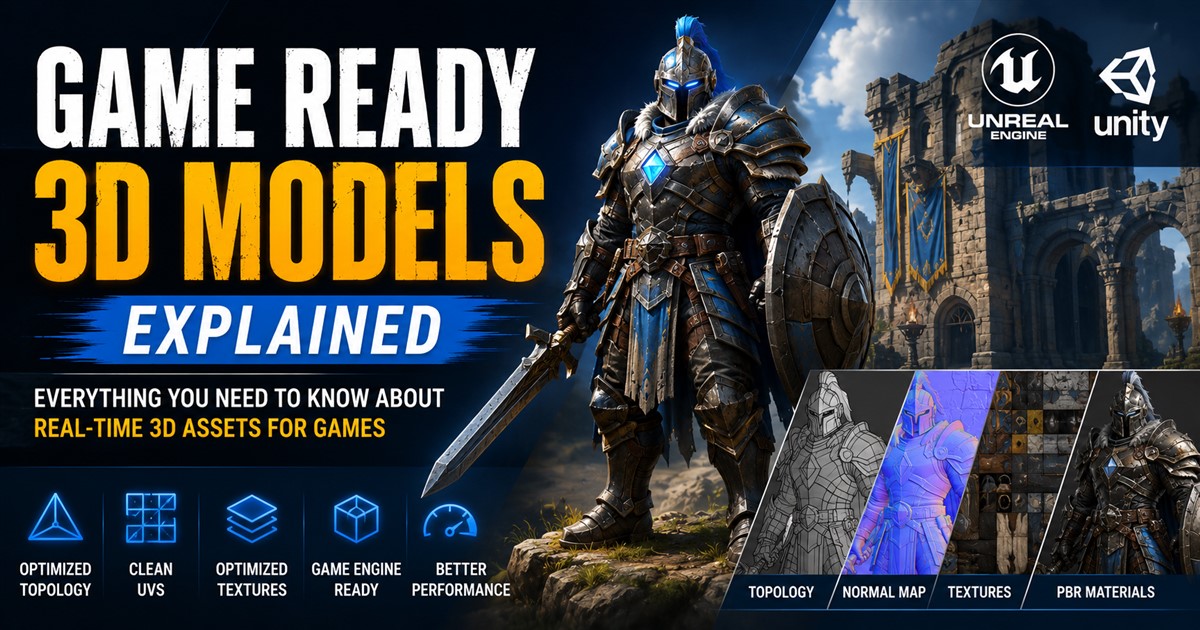
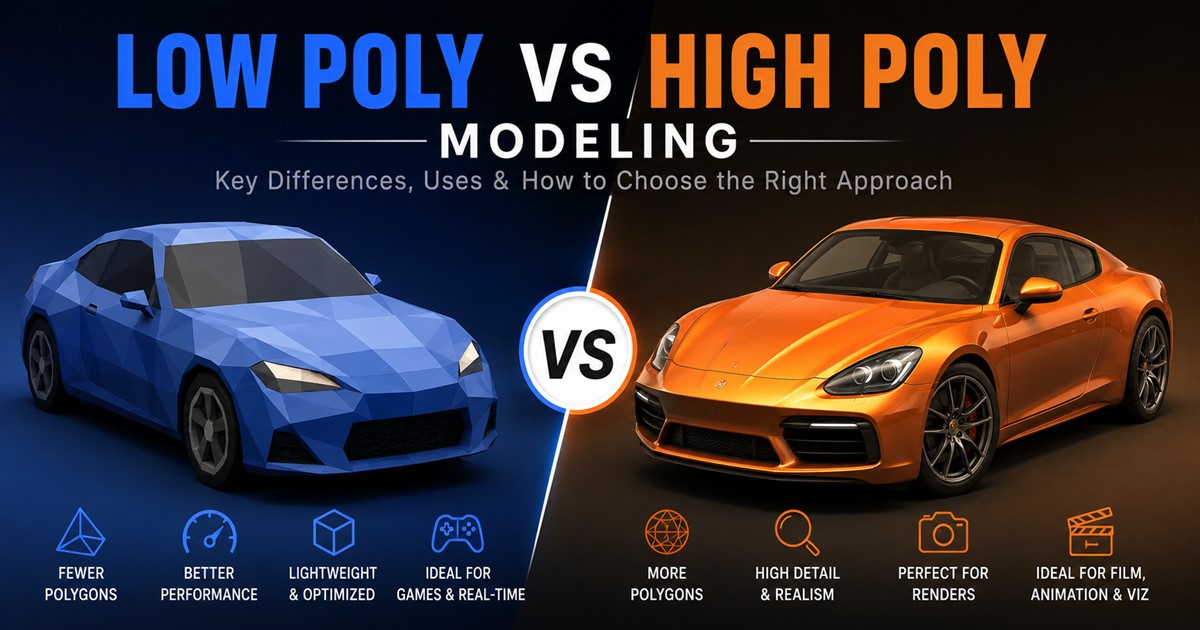

3D modeling is used in many industries, including video games, animation, product design, architecture, manufacturing, e-commerce, and virtual experiences. However, not every project needs the same level of detail. Some projects need simple models that load quickly and run smoothly, while others need highly detailed models with realistic shapes and surfaces.
This is where low poly vs high poly modeling becomes important. The choice between low poly and high poly can affect model quality, file size, performance, rendering time, development time, and project cost.
In simple terms, low poly modeling uses fewer polygons to create a lightweight model, while high poly modeling uses many polygons to create more detailed and complex shapes. Neither approach is always better. The right choice depends on how and where the model will be used.
In this guide, we will explain the differences between low poly and high poly modeling, their advantages and disadvantages, common use cases, and how to choose the right approach for your project.
What Is Low Poly Modeling?
Low poly modeling is the process of creating a 3D object with a relatively small number of polygons. Polygons are the basic shapes used to build the surface of a 3D model. Most models are made from triangles and four-sided polygons that work together to create the final shape.
Because low poly models use fewer polygons, they are usually lightweight and easier for computers, game engines, websites, and mobile devices to process. Artists need to use the available geometry carefully to create a model that looks good while remaining efficient.
Low poly does not mean that a model must look poor or unfinished. With good topology, textures, lighting, materials, and normal maps, a low poly model can still look professional and attractive.
Common Uses of Low Poly Models
- Video games
- Mobile games
- Virtual reality applications
- Augmented reality experiences
- Interactive websites
- Real-time 3D applications
- Product viewers
- Educational applications
- Stylized 3D artwork
- Large 3D environments
What Is High Poly Modeling?
High poly modeling uses a much larger number of polygons to create a detailed 3D object. The additional geometry gives artists more control over curves, edges, surface details, and complex shapes.
High poly models are often used when visual quality is more important than real-time performance. They are useful for photorealistic product images, film and animation, advertising, architectural visualization, detailed characters, and other applications where the model may be viewed closely.
A high poly model can contain a very large number of polygons. This allows artists to create fine details directly in the geometry, but it also increases file size and processing requirements.
Common Uses of High Poly Models
- Film and television animation
- Photorealistic product visualization
- High-quality marketing images
- Architectural visualization
- Detailed character modeling
- Industrial design presentations
- Close-up product renders
- Digital sculpting
- Visual effects
- Concept development
Low Poly vs High Poly Modeling: Key Differences
The biggest difference between low poly and high poly modeling is the amount of geometry used to create the model. However, polygon count is not the only factor. Performance, appearance, file size, rendering requirements, and project purpose also play an important role.
| Factor | Low Poly Modeling | High Poly Modeling |
|---|---|---|
| Polygon count | Low | High |
| Level of detail | Basic to moderate | High to very high |
| File size | Usually smaller | Usually larger |
| Real-time performance | Generally better | Can be demanding |
| Rendering requirements | Lower | Higher |
| Modeling time | Often shorter | Often longer |
| Surface detail | Limited geometry | Highly detailed |
| Common applications | Games, VR, AR, web | Rendering, animation, film, visualization |
Advantages of Low Poly Modeling
Low poly modeling is popular because it provides a balance between visual quality and performance. When a project contains hundreds or thousands of objects, controlling polygon counts can make a significant difference.
1. Better Performance
Low poly models require less processing power than highly detailed models. This makes them especially useful for real-time applications where users expect smooth movement and interaction.
2. Smaller File Sizes
Fewer polygons can result in smaller model files. Smaller assets are easier to store, transfer, manage, and load into applications.
3. Faster Loading
Lightweight models can load more quickly, which is helpful for websites, mobile applications, and interactive experiences where users may not want to wait for large assets.
4. Useful for Large Scenes
A large game environment may contain buildings, trees, vehicles, characters, furniture, and many other objects. Making every object high poly can create performance problems. Low poly assets help keep the overall scene manageable.
5. Suitable for Stylized Designs
Low poly modeling can also be an artistic choice. Simple geometric forms can create a clean and recognizable visual style. Many games, illustrations, and educational applications use low poly designs intentionally.
Disadvantages of Low Poly Modeling
The main limitation of low poly modeling is the amount of detail that can be represented directly through geometry. If an object has complex curves or small surface features, too few polygons may make the shape look less accurate.
Curved objects can also appear less smooth if there is not enough geometry. Some details may need to be created using textures, normal maps, or other techniques instead of actual polygons.
This becomes especially important when a model will be shown in a close-up view. A model that looks good from a distance may not provide enough detail when the camera gets very close.
Advantages of High Poly Modeling
High poly modeling is valuable when detail and visual quality are major priorities. More geometry gives artists greater control over complex forms and fine surface features.
1. More Realistic Details
High poly models can represent small curves, bevels, grooves, edges, and other details with greater accuracy. This can be important for products and objects that need to look realistic.
2. Smooth Curves
Rounded and complex surfaces can be created with smooth transitions. This is useful when modeling vehicles, products, characters, furniture, and other objects with curved surfaces.
3. Excellent for Close-Up Renders
When an object fills most of an image, small details become more noticeable. High poly geometry provides additional control for these close-up views.
4. Useful for Detailed Sculpting
Characters, creatures, sculptures, and organic objects often need a large amount of geometry to represent their shapes accurately. High poly workflows provide the detail needed for this type of work.
5. Good for Marketing Visualization
Businesses often need realistic images of products, buildings, machines, and other objects for advertising. High-detail models can help create realistic marketing visuals before a physical product is available.
Disadvantages of High Poly Modeling
The biggest disadvantage of high poly modeling is its increased demand for computer resources. A model with a large number of polygons requires more memory and processing power.
High poly files can also be larger and more difficult to transfer or manage. Rendering may take longer, particularly when a scene contains multiple detailed models, complex materials, high-resolution textures, and advanced lighting.
For this reason, high poly is not automatically the best choice. Using more geometry than necessary can make a project slower and more expensive without providing a meaningful visual improvement.
Low Poly vs High Poly for Video Games
Video games require a careful balance between visual quality and performance. Game assets often need to be displayed in real time while players move through detailed environments.
For this reason, game-ready assets are generally optimized for the target platform. A detailed high poly model may be created first and then used as a source for a lower-poly version.
Normal maps and texture techniques can help transfer visual details from a high poly model to a low poly asset. This allows game developers to create visually detailed objects without putting all of the original geometry into the real-time scene.
If you are planning a game project, learning about the 3D game asset creation pipeline can help you understand how detailed and optimized models can work together.
Low Poly vs High Poly for Product Modeling
Product modeling has different requirements depending on the final purpose of the model. A product used for a high-resolution advertising image may require a highly detailed model, while an interactive product viewer may need a lighter version.
For example, a business could create a detailed model for realistic marketing renders and an optimized version for an interactive website. Using different versions allows the same product data to serve different purposes.
If you are creating digital product assets for online stores, this guide to 3D product modeling for e-commerce can provide useful information about how 3D models can support online product presentation.
Low Poly vs High Poly for Architecture
Architectural projects may use both low poly and high poly modeling. A high-detail model can be useful for realistic interior and exterior renders where the camera focuses on furniture, materials, fixtures, and architectural features.
Interactive walkthroughs and large real-time environments have different requirements. Optimized geometry can help users move through these environments more smoothly.
The best solution is often not to make every object extremely low poly or extremely high poly. Instead, artists can give more geometry to objects that are important to the camera and simplify objects that are distant or less important.
Can You Use Both Low Poly and High Poly Models?
Yes. Using both approaches is common in professional 3D production.
An artist may first create a detailed high poly model to achieve the desired shape and surface information. A lower-poly version can then be created and optimized for a specific application.
This approach provides flexibility. The high poly model can preserve detailed information, while the optimized version can provide better performance for games, websites, interactive applications, and other platforms.
Textures, normal maps, and other techniques can help an optimized model retain much of the visual appearance of its detailed source model.
How to Choose Between Low Poly and High Poly Modeling
The best modeling approach depends on the final purpose of the asset. Before production begins, consider where the model will be displayed, how close the camera will be, how many objects will appear in the scene, and whether users need to interact with the model.
| Project Requirement | Recommended Approach |
|---|---|
| Mobile game asset | Low poly or optimized model |
| Real-time web viewer | Low poly or optimized model |
| Photorealistic product render | High-detail model |
| Film-quality character | High poly workflow |
| Large interactive environment | Mostly optimized assets |
| Close-up advertising image | High-detail model |
| Basic educational 3D asset | Low to medium poly |
Important Factors to Consider
Purpose of the Model
Start by deciding whether the model is for a game, animation, product render, website, manufacturing process, architectural presentation, or another purpose.
Viewing Distance
A model viewed from far away generally does not need the same amount of detail as a model shown in a close-up image.
Target Platform
Consider whether the model will be used on a desktop computer, mobile device, game console, web browser, VR headset, or another platform. Each platform may have different performance requirements.
Number of Assets
A single detailed model may be manageable, but thousands of high poly objects in one scene can create significant performance challenges.
Rendering Requirements
If the final goal is a high-resolution still image, additional geometry may be acceptable. If the model needs to run in real time, optimization becomes much more important.
Low Poly and High Poly in a Professional Workflow
A professional 3D modeling workflow may include planning, reference collection, base modeling, detailed modeling, optimization, UV mapping, texturing, materials, lighting, rendering, and quality checks.
The exact workflow depends on the project. Some assets start as simple low poly forms and are gradually refined. Others are created in high detail first and later optimized for a specific platform.
Understanding the complete 3D modeling project workflow can make it easier to understand where low poly and high poly techniques fit into production.
How Polygon Count Can Affect Cost
Polygon count can influence the time required to build, optimize, texture, and render a model, but it is not the only factor that determines project cost.
A simple low poly object may be relatively quick to produce. A detailed high poly object may require more modeling time, additional refinement, more detailed texturing, and extra quality checks.
However, the actual cost depends on factors such as object complexity, required accuracy, deadline, number of revisions, textures, file formats, and final deliverables.
If you are planning a professional 3D project, understanding the factors that affect 3D modeling pricing can help you plan your budget more effectively.
Common Mistakes When Choosing Polygon Density
- Using too many polygons: Extra geometry can increase file size and reduce performance without creating a visible improvement.
- Using too few polygons: Extremely simple geometry may fail to represent important shapes or details.
- Ignoring the target platform: A model designed for a high-end render may not work well in a mobile or web application.
- Optimizing too late: Performance requirements should be considered early in the project.
- Focusing only on polygon count: Textures, materials, lighting, topology, and file structure can also affect performance.
Low Poly vs High Poly: Which One Is Better?
There is no universal winner in the low poly vs high poly debate. The better option depends on the project requirements.
Choose low poly when performance, fast loading, smaller file sizes, and real-time interaction are important. Choose high poly when detailed geometry, realism, close-up views, and high-quality rendering are the main goals.
For many professional projects, the best solution is a combination of both. A detailed model can be used as a source asset, while optimized versions can be created for games, websites, interactive applications, or other platforms.
The goal should not simply be to use the highest or lowest polygon count. The goal is to use the right amount of geometry for the intended purpose.
Frequently Asked Questions
Is low poly better than high poly?
Not always. Low poly is generally better for performance and real-time applications, while high poly is better for detailed and realistic visual work. The right choice depends on the project’s purpose.
Is high poly modeling more expensive?
It can be more expensive because detailed models often require more modeling, refinement, texturing, and quality control. However, cost depends on many factors, including complexity, accuracy, deadline, revisions, and deliverables.
Can a high poly model be converted into a low poly model?
Yes. A high poly model can often be retopologized or optimized to create a lower-poly version. Details can also be transferred through normal maps and other texture techniques.
What is better for game development?
Optimized low poly or game-ready models are generally preferred for real-time gameplay. High poly models can still be part of the development process as source assets for creating detailed textures and optimized versions.
What is better for product rendering?
High-detail modeling is usually more suitable for close-up product rendering because it can accurately represent curves, edges, bevels, and other small features.
Does polygon count affect rendering time?
Yes. A higher polygon count can increase the amount of geometry a computer needs to process. However, rendering time is also affected by lighting, materials, textures, resolution, scene complexity, and rendering software.
Can low poly models look realistic?
Yes. Good topology, realistic textures, normal maps, materials, lighting, and careful optimization can make relatively lightweight models look highly convincing.
Final Thoughts
Low poly and high poly modeling serve different purposes in the 3D industry. Low poly models focus on efficiency, making them useful for games, websites, mobile applications, VR, AR, and other real-time experiences. High poly models focus on detail and are often used for realistic rendering, animation, product visualization, and other projects where visual quality is a priority.
The smartest approach is to start with the final use of the model rather than choosing a polygon count first. Think about the target platform, viewing distance, required level of detail, number of objects, rendering requirements, and expected user experience.
If you need professional help deciding which modeling approach is right for your project, you can contact a 3D modeling service provider with your project requirements. A clear understanding of the final goal can help ensure that your model has enough detail without adding unnecessary geometry.