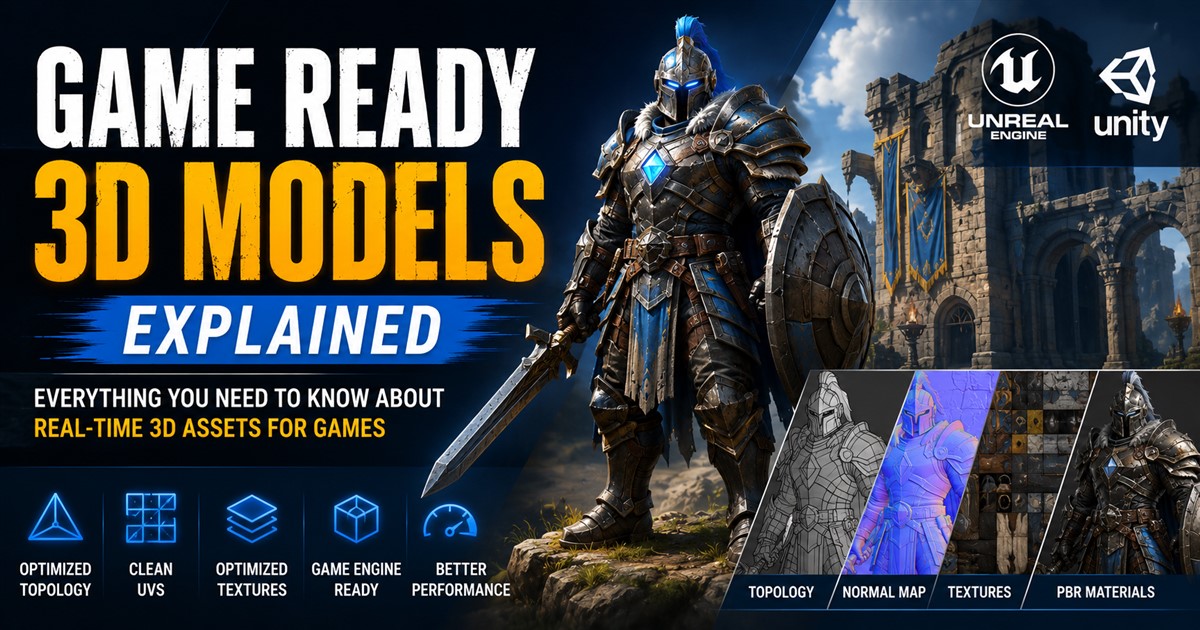


AAA games are known for detailed characters, realistic environments, polished animations, and rich visual effects. Behind that quality is a carefully planned AAA game asset creation workflow. Large game studios cannot create thousands of high-quality assets without a clear process. Every model needs to meet artistic, technical, and performance requirements before it becomes part of the final game.
AAA asset production is also different from creating a simple 3D model. A production-ready game asset may need concept development, high-poly sculpting, retopology, UV mapping, baking, texturing, rigging, animation, optimization, LOD creation, and engine integration. Each stage has a specific purpose, and mistakes early in the process can create extra work later.
This guide explains the complete AAA game asset creation pipeline in simple terms. Whether you are a game developer, 3D artist, studio owner, or someone planning to outsource game assets, understanding this workflow can help you plan projects more effectively.
What Is AAA Game Asset Creation?
AAA game asset creation is the process of producing high-quality 3D models and related digital content for large-scale video games. These assets can include characters, weapons, vehicles, buildings, props, environments, creatures, and other interactive objects.
AAA projects usually have strict requirements for visual quality and technical performance. Assets must look good from the expected camera distance while also working correctly inside the target game engine.
A typical asset may move through several stages before it is considered finished:
- Concept and reference gathering
- 3D blockout
- High-poly modeling or sculpting
- Retopology and low-poly modeling
- UV unwrapping
- High-to-low-poly baking
- Texturing and material creation
- Rigging and skinning when required
- Animation when required
- Optimization and LOD creation
- Game engine integration
- Quality assurance and final approval
AAA Game Asset Workflow at a Glance
| Stage | Main Goal | Typical Output |
|---|---|---|
| Concept | Define the visual direction | Concept art and references |
| Blockout | Establish basic form and scale | Simple 3D model |
| High-poly | Create detailed surface forms | Detailed sculpt or model |
| Low-poly | Prepare efficient game geometry | Game-ready mesh |
| UV mapping | Prepare the model for textures | UV layout |
| Baking | Transfer high-poly details | Normal and other baked maps |
| Texturing | Create realistic surface appearance | Texture maps and materials |
| Rigging | Prepare characters or objects for movement | Skeleton and skin weights |
| Optimization | Improve real-time performance | Optimized asset and LODs |
| Engine integration | Make the asset work in the game | Imported game asset |
1. Start With Concept Art and References
The first stage is usually planning. Artists need to understand what they are creating before they begin detailed modeling. The team may provide concept art, drawings, photographs, measurements, style guides, color references, or existing game assets.
References are especially important for AAA projects because multiple artists may work on the same game. A shared visual direction helps maintain consistency across characters, environments, weapons, vehicles, and props.
For example, a fantasy game may have a specific design language for armor, weapons, buildings, and creatures. Even when different artists create those assets, they should feel like they belong to the same world.
2. Create a 3D Blockout
Before spending time on small details, artists often create a simple blockout. The blockout focuses on the main shape, size, proportions, and position of the asset.
At this stage, the model does not need detailed textures or tiny surface features. The purpose is to confirm that the overall design is correct.
Blockouts can save significant production time. Finding a proportion problem in a simple model is much easier than discovering it after the asset has already been sculpted, textured, rigged, and integrated into the game.
3. Build the High-Poly Model
Once the blockout is approved, artists can create the high-poly version. This model contains detailed geometry that represents the desired final appearance.
High-poly modeling is especially important for characters, creatures, weapons, vehicles, and hero assets that receive close camera attention.
Artists may add:
- Small surface shapes
- Fabric folds
- Mechanical details
- Scratches and surface forms
- Panel lines
- Skin details
- Armor details
However, the high-poly model is not necessarily the mesh that goes directly into the game. Its detailed information can later be transferred to a more efficient game mesh.
4. Retopology and Low-Poly Modeling
High-poly models can contain a very large number of polygons. Using that exact geometry in real-time gameplay may be inefficient. Retopology creates a cleaner and more optimized mesh while preserving the important shapes.
The new low-poly mesh is designed around the needs of the game. Important areas can receive more geometry, while less visible areas can use simpler topology.
This is especially important for characters because topology must support deformation during animation. Good edge flow can help joints, facial features, and other moving areas deform correctly.
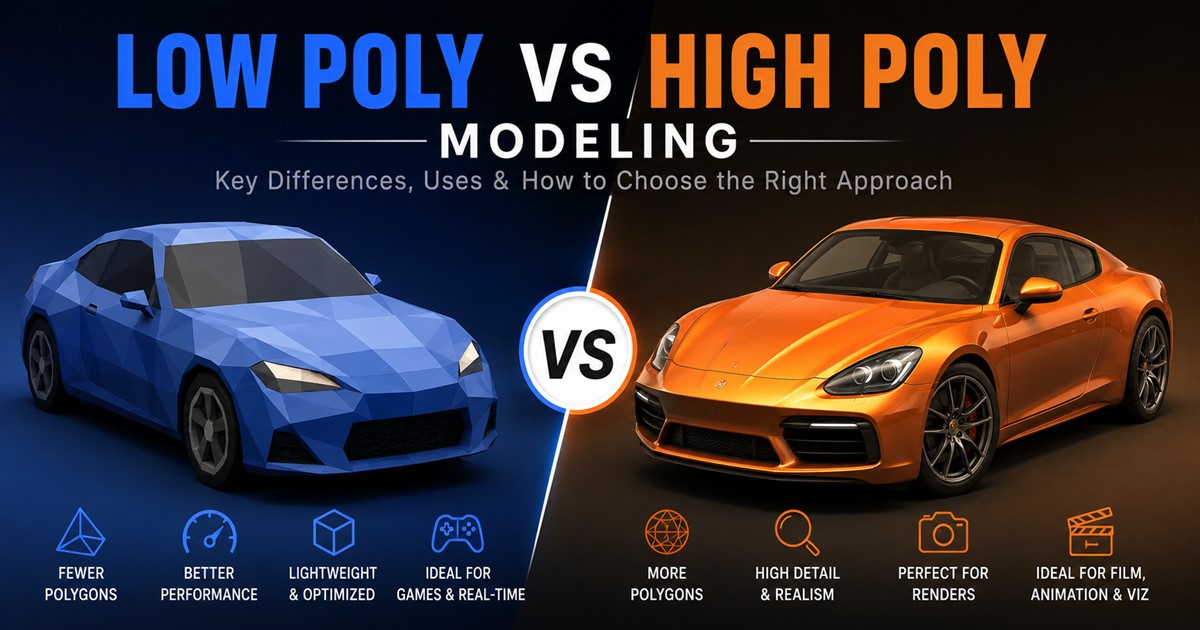
The difference between high-detail and optimized geometry is discussed further in our guide to low-poly vs high-poly modeling.
5. UV Unwrapping
After the game mesh is ready, artists need to create UV coordinates. UV mapping tells the software how a 2D texture should be placed across a 3D surface.
A good UV layout helps artists create clean textures and use texture space efficiently. Seams should be placed carefully, especially in areas where they are less visible.
For AAA assets, UV planning can be important because high-quality textures require efficient use of available texture space.
6. Bake High-Poly Details Onto the Game Mesh
Baking transfers information from the high-poly model to the optimized low-poly model. Normal maps are commonly used to reproduce the appearance of detailed surface forms without requiring all of the original high-poly geometry during real-time rendering.
Other maps may also be generated depending on the material workflow. The exact process varies according to the project’s tools and rendering setup.
The goal is simple: keep the efficient geometry of the low-poly model while preserving as much of the visual detail from the high-poly asset as possible.
7. Create High-Quality Textures
Texturing gives the model its surface appearance. A plain 3D mesh can look simple, but carefully created materials can make it appear like metal, wood, leather, stone, plastic, skin, fabric, or another real-world surface.
Artists may create maps for color, roughness, metallic properties, normal information, ambient occlusion, and other material characteristics.
AAA projects often require consistent material standards across the entire game. For example, metal should respond to lighting differently from cloth, and wet surfaces should behave differently from dry materials.
8. Add Materials and Surface Details
Textures and materials work together to define the final appearance of an asset. Artists need to make sure the material settings match the intended surface.
Small details can also improve realism. Dirt, wear, scratches, edge damage, dust, fingerprints, or color variation may be added where appropriate.
However, details should support the design rather than simply being added everywhere. A clean futuristic object and an old abandoned object should have very different surface treatments.
9. Rig Characters and Animated Objects
Characters need a skeleton before they can be animated. Rigging involves creating bones and controls that allow the character to move.
After rigging, the mesh is skinned to the skeleton. Artists then check how the model deforms during movement.
Rigging quality is particularly important for AAA characters because players may see them from many angles and during complex actions.
10. Create Animations
Once a character has a working rig, animators can create movement. Depending on the game, this can include walking, running, jumping, fighting, climbing, interacting with objects, using equipment, and many other actions.
Animation needs to match the game’s style and gameplay requirements. A realistic game may require natural movement, while a stylized game may intentionally use exaggerated motion.
For teams producing many game assets, understanding the broader game asset creation pipeline can help organize modeling, texturing, animation, and engine integration.
11. Create LOD Versions
AAA games often contain large environments with many objects visible at the same time. Rendering every object at its highest possible detail can waste resources.
Level of Detail, or LOD, solves part of this problem by using different versions of an asset based on viewing distance.
| LOD | Distance | Detail Level |
|---|---|---|
| LOD 0 | Close | Highest detail |
| LOD 1 | Medium | Reduced detail |
| LOD 2 | Far | Low detail |
| Culled | Very far or not visible | Not rendered when appropriate |
Proper LOD creation is one of the ways artists can maintain visual quality without making every visible object unnecessarily expensive.
12. Optimize the Asset for the Game Engine
Once the asset is visually complete, it needs to meet technical requirements. The final model should work correctly in the target engine, such as Unreal Engine or Unity.
Technical artists and developers may check:
- Polygon count
- Texture resolution
- Material count
- UVs
- Collision geometry
- LODs
- Skeleton structure
- Animation compatibility
- File size
- Engine import settings
For Unity projects, additional optimization may be required after import. Our guide to Unity 3D asset optimization covers important techniques for improving real-time asset performance.
13. Test the Asset in the Actual Game
An asset should not be judged only inside a 3D modeling application. It needs to be tested in the game environment.
A character might look excellent in a modeling program but show problems when animated. A building may look correct by itself but cause performance issues when hundreds of similar objects are placed in a scene.
Testing should therefore happen with realistic lighting, cameras, gameplay conditions, and surrounding assets.
14. Quality Assurance and Final Approval
Before an asset is approved, the team should review both its artistic and technical quality.
| Quality Area | What to Check |
|---|---|
| Shape | Does the model match the approved concept? |
| Topology | Is the geometry suitable for its purpose? |
| UVs | Are the UVs clean and usable? |
| Textures | Do materials and surface details look correct? |
| Animation | Does the asset deform and move correctly? |
| Performance | Does it meet project performance requirements? |
| Engine integration | Does it import and work correctly? |
How Long Does AAA Game Asset Creation Take?
The timeline depends heavily on the type and complexity of the asset. A simple prop may be completed relatively quickly, while a hero character can require much more time because it may involve sculpting, retopology, UVs, textures, rigging, facial work, animation, and testing.
Other factors include the number of revisions, level of realism, number of texture sets, required animations, technical specifications, and whether the asset is being created from concept art or existing references.
Planning the schedule before production begins is important. You can learn more about the factors that affect production schedules in our guide to 3D modeling timelines.
Common Challenges in AAA Asset Production
Maintaining Visual Consistency
Large teams may have many artists working at the same time. Without shared standards, assets can have different proportions, texture quality, material behavior, or levels of detail.
Balancing Quality and Performance
AAA games need detailed visuals, but every asset still has to fit within the project’s technical limits. Artists must balance quality with real-time performance.
Managing Large Asset Libraries
A large game may contain thousands of files. Clear naming systems, folders, version control, documentation, and approval processes help teams manage these assets.
Handling Revisions
Game designs can change during development. A character, weapon, or environment may need modifications after testing. Building a flexible workflow makes revisions easier.
AAA Asset Creation: In-House vs Outsourcing
Some studios handle all asset creation internally, while others outsource specific parts of production. Outsourcing can be useful when a studio needs additional artists, has a large asset backlog, or wants specialized skills for a particular task.
The right approach depends on project size, budget, deadlines, internal expertise, and quality requirements. When considering external production, teams should review portfolios and technical experience rather than selecting a provider based only on price.
Clear communication is also important. Before work begins, provide references, technical specifications, expected file formats, polygon budgets, texture requirements, naming standards, and delivery expectations.
Tips for Building an Efficient AAA Game Asset Pipeline
- Set technical standards early: Define polygon, texture, UV, material, and file requirements before production starts.
- Use reference material: Give artists enough information to understand the intended design.
- Approve blockouts first: Avoid detailed production before the basic form is accepted.
- Keep naming consistent: Good file names make large projects easier to manage.
- Build reusable materials: Shared material systems can improve consistency and efficiency.
- Plan LODs early: Do not wait until the end to consider real-time performance.
- Test in the engine: Check assets under real game conditions.
- Document requirements: A clear technical guide helps every artist follow the same standards.
- Use regular reviews: Catching problems early is usually easier than fixing them after final integration.
Conclusion
A successful AAA game asset creation workflow combines art, technology, planning, and testing. The process usually starts with concepts and references, moves through blockout and high-poly modeling, and continues with retopology, UV mapping, baking, texturing, rigging, animation, optimization, and engine integration.
The most important point is that AAA asset creation is not only about adding more detail. High-quality game assets must also be efficient, consistent, flexible, and suitable for real-time use. A beautiful model that performs poorly or fails to work correctly in the game is not a finished production asset.
Whether you are building a small game or a large production, a structured pipeline helps reduce errors, control costs, and maintain consistent quality. If you need professional help creating game-ready 3D assets, you can contact a 3D modeling service team with your project requirements and asset specifications.
Frequently Asked Questions About AAA Game Asset Creation
What is a AAA game asset?
A AAA game asset is a production-ready digital asset created for a large-scale video game. It may be a character, weapon, vehicle, prop, building, creature, environment element, or another game object.
What are the main stages of AAA game asset creation?
The main stages typically include concept development, blockout, high-poly modeling, retopology, UV mapping, baking, texturing, rigging, animation, optimization, LOD creation, engine integration, and quality testing.
Why is retopology important for AAA game assets?
Retopology creates an efficient game mesh from a detailed model. It helps reduce unnecessary geometry while keeping the important shape and details needed for the final asset.
What is the difference between high-poly and low-poly game models?
A high-poly model contains a large amount of geometric detail and is often used to create detailed surface information. A low-poly model uses optimized geometry designed for efficient real-time rendering.
Do AAA game assets always need LODs?
Not every asset requires the same LOD setup. However, LODs are very useful for many large scenes because they allow simpler versions of objects to be displayed when those objects are farther from the camera.
How long does it take to create a AAA game asset?
The timeline varies significantly. A simple prop may take much less time than a hero character with detailed sculpting, textures, rigging, facial work, animations, and multiple optimization requirements.
Can AAA game asset creation be outsourced?
Yes. Game studios can outsource complete assets or specific tasks such as modeling, retopology, UV mapping, texturing, rigging, animation, and optimization. The external team should follow the studio’s artistic and technical standards.
What makes a game asset production-ready?
A production-ready asset has the required visual quality, clean geometry, usable UVs, correct textures and materials, appropriate optimization, required LODs, correct file structure, and compatibility with the target game engine.