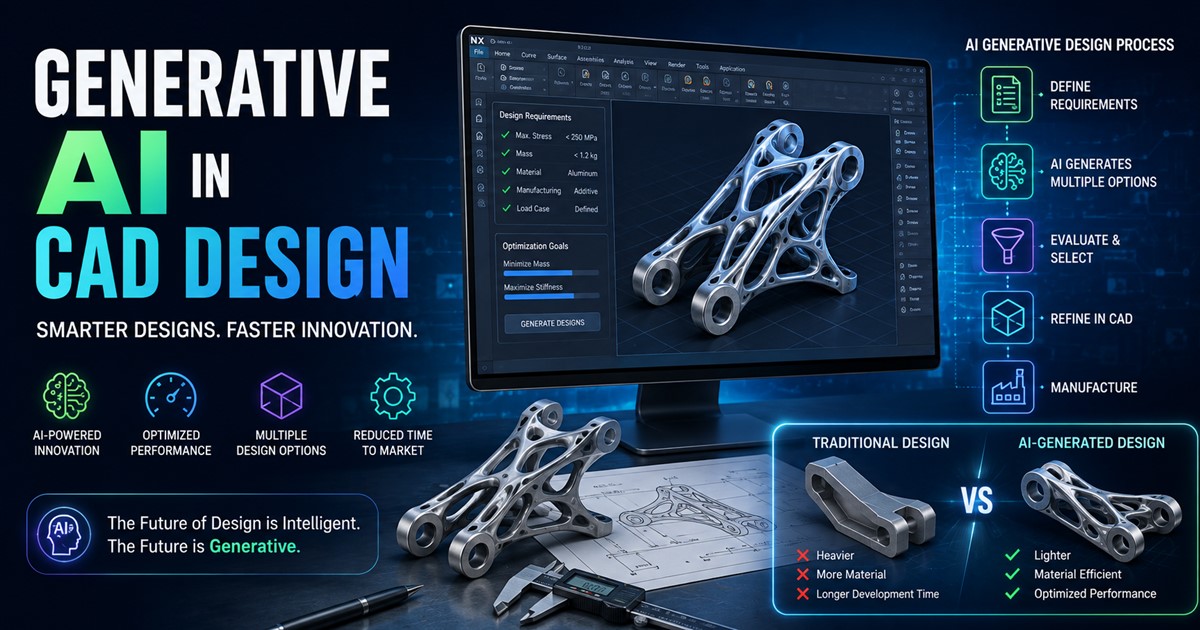


Making a 3D model used to mean hours of manual mesh work before you had anything usable. That’s changed fast. In 2026, you can type a sentence or drop in a photo and get a textured, exportable 3D asset in seconds to minutes. The tools aren’t perfect substitutes for traditional modeling software, but they’ve become genuinely good at the part everyone hated most: building the base mesh.
Here’s a practical look at the tools worth your time this year, organized by what you’re actually trying to do.
How AI 3D modeling actually works now
Most tools fall into one of two buckets:
- Text-to-3D and image-to-3D generators — you give a prompt or a reference photo, and the model produces a mesh with textures attached. Think Meshy, Rodin, Tripo, Hunyuan3D.
- AI-assisted design platforms — browser-based tools like Spline that use AI to speed up scene building for web and product design, rather than generating a full asset from scratch.
None of these fully replace Blender, Maya, or a CAD tool. What they do is compress the “get from nothing to a rough asset” phase from hours to minutes, so artists spend their time refining instead of starting from a blank canvas.
The top picks
Meshy — best all-around choice
Meshy 6 is widely considered the most balanced option on the market right now. It handles text-to-3D and image-to-3D, includes solid PBR texturing, gives you topology controls, and exports to the formats you actually need (FBX, GLTF, OBJ). It’s also added conversational-agent style refinement, so you can iterate on a model with follow-up prompts instead of starting over. If you only try one tool, this is the one most reviewers point to first.
Rodin (Hyper3D) — best for production-quality output
Built by Deemos and used internally by companies like ByteDance and Unity, Rodin’s Gen-2 model generates models with quad-mesh topology and 4K PBR textures in about four seconds. It produces the cleanest, most production-ready geometry of any tool tested, which is why it commands premium pricing — around $99/month at the high end, with a credit-based system where a single high-quality download can cost dozens of credits. If budget isn’t the constraint and quality is, this is the leader.
Tripo AI — best for game developers
Tripo focuses on clean quad topology and auto-rigging, plus stylized output modes like LEGO, voxel, and cartoon styles that are hard to get elsewhere. Its newer Smart Mesh update does retopology in around two seconds. Starting around $12/month, it’s a strong, affordable pick if you’re building game-ready characters and props on a budget.
Hunyuan3D — best open-source option
Tencent’s Hunyuan3D is free and self-hostable, which makes it the go-to for technical teams that want full control and no per-generation costs. The catch is hardware: you’ll want a GPU with at least 24GB of VRAM to run it comfortably. If you have the setup, it’s the strongest free route available.
Spline AI — best for web and product design
Spline runs entirely in the browser and is built for designers, not dedicated 3D artists. It’s aimed at building interactive 3D elements for landing pages and product displays rather than generating standalone game or print assets. If your team doesn’t have a 3D specialist but needs interactive visuals for a website, Spline lowers that barrier more than any generator-focused tool.
3D AI Studio — best if you don’t want to pick just one
Rather than building its own model, 3D AI Studio gives you access to Meshy, Rodin, Tripo, and Hunyuan3D under a single subscription. Since no single model wins every prompt — Rodin tends to win on photorealism, Meshy on iteration speed, Tripo on game-ready topology — this aggregator approach lets you generate the same asset across models and keep whichever result is best. It’s a strong value pick for teams doing high-volume asset creation.
Luma AI — best for digitizing real objects
Luma’s Genie tool is a favorite for turning photos and scans of real-world objects into 3D models, and it’s genuinely easy to start with. The free tier, however, is non-commercial only, so factor that in if the output needs to ship in a paid product.
What about AI-powered CAD?
If you need editable, engineering-grade models rather than game or visualization assets, generator tools aren’t the right fit. Look instead at AI CAD tools like Zoo’s Zookeeper, which handles text-to-CAD and parametric editing, or Leo AI, which acts more like an engineering copilot layered on top of existing CAD workflows. These are a different category from Meshy or Rodin and solve a different problem.
Choosing the right tool for your situation
| If you need… | Go with |
|---|---|
| One tool that does the most things well | Meshy |
| The highest possible mesh and texture quality | Rodin |
| Cheap, game-ready assets with auto-rigging | Tripo |
| Free, self-hosted, and fully controllable | Hunyuan3D |
| Interactive 3D for websites, no 3D artist on staff | Spline |
| Access to every major model without multiple subscriptions | 3D AI Studio |
| To turn real objects/photos into models | Luma AI |
| Editable parametric CAD, not just meshes | Zoo Zookeeper or Leo AI |
A few honest caveats
- Free tiers have strings attached. Meshy and Tripo’s free outputs typically require attribution (CC BY 4.0). Luma’s free tier is non-commercial only.
- Complex or mechanical shapes are still weak spots. AI generators are strongest on organic shapes, characters, props, and stylized assets — mechanical precision and tight engineering tolerances still need traditional CAD.
- Expect some cleanup. Even the best tools occasionally produce topology or texture seams that need a pass in Blender or a similar tool before the asset is truly production-ready.
The bottom line
AI hasn’t replaced 3D modeling — it’s replaced the blank-canvas problem. The best workflow in 2026 for most artists and studios is hybrid: generate a base mesh with a tool like Meshy, Rodin, or Tripo, then refine it in Blender or your engine of choice. Pick your generator based on what you’re optimizing for — quality (Rodin), speed and balance (Meshy), game-ready budget assets (Tripo), or full control (Hunyuan3D) — and you’ll cut hours off your production time without giving up the final polish only a human touch provides.