
3D modeling is used in many industries to create digital objects, products, buildings, characters, environments, and other visual assets. From product design and manufacturing to architecture, gaming, animation, and eCommerce, 3D models help businesses turn ideas into detailed digital representations.
However, 3D modeling is not one single process. There are different types of 3D modeling, and each method is suited to different projects. Some models are created for engineering and manufacturing, while others are designed for realistic visualization, games, animation, or interactive websites.
Choosing the right type of modeling can affect the quality, accuracy, performance, cost, and final use of a project. In this guide, we will explain the main types of 3D modeling in simple terms and show where each type is commonly used.
What Is 3D Modeling?
3D modeling is the process of creating a three-dimensional digital representation of an object or environment using specialized software. A model can represent something real, such as a machine or building, or something imaginary, such as a game character or fantasy environment.
3D models are made from different elements, including vertices, edges, faces, surfaces, curves, and other geometric structures. Depending on the modeling method, artists and designers can create simple shapes or highly detailed digital objects.
If you are new to the subject, you can learn more about what 3D modeling is and how it is used in different industries.
Why Are There Different Types of 3D Modeling?
Different projects have different requirements. An engineer creating a mechanical component needs accurate dimensions and editable geometry. An architect may need a detailed building model for visualization. A game developer needs optimized models that can run smoothly in a real-time engine.
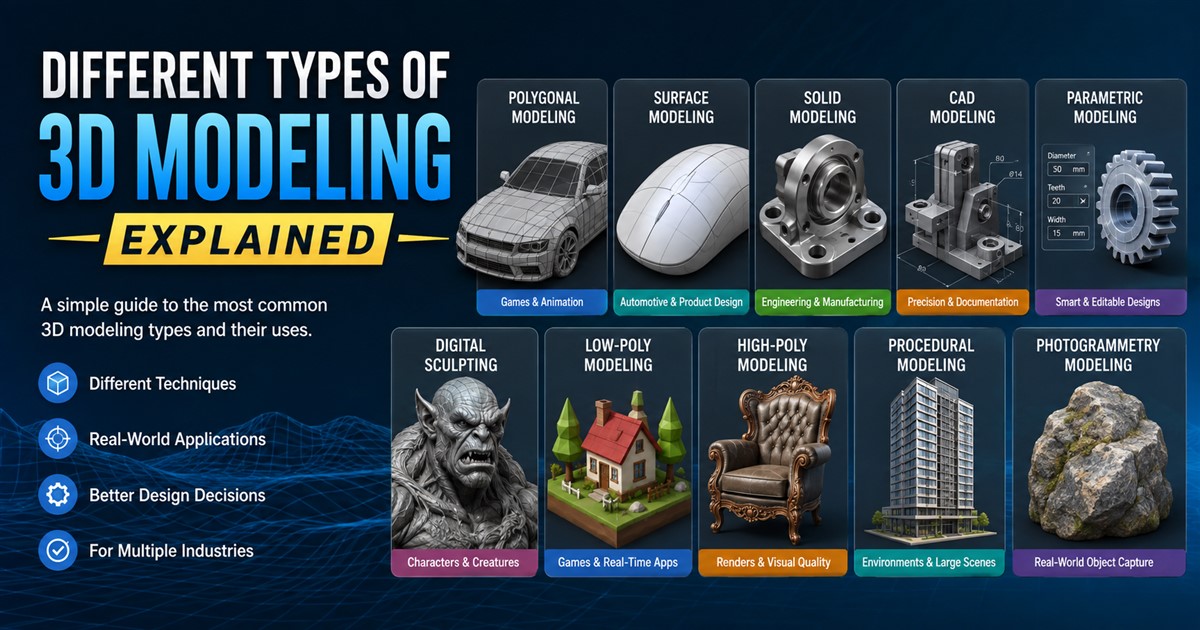
Because of these differences, 3D artists and designers use several modeling techniques. The most common types include:
- Polygonal modeling
- Surface modeling
- Solid modeling
- Parametric modeling
- Direct modeling
- Sculpting
- Digital sculpting
- Procedural modeling
- Photogrammetry-based modeling
- CAD modeling
Main Types of 3D Modeling
1. Polygonal Modeling
Polygonal modeling is one of the most widely used 3D modeling techniques. It creates objects using polygons, which are made from vertices, edges, and faces.
Artists can move, scale, rotate, add, remove, and reshape these elements to build a model. Polygonal modeling is especially common in games, animation, visual effects, product visualization, and entertainment.
One of its biggest advantages is flexibility. Artists can create anything from simple low-poly objects to highly detailed characters and environments.
For example, a game artist might use polygonal modeling to create a vehicle, weapon, building, character, or environmental asset.
2. Surface Modeling
Surface modeling focuses on creating the visible outer surface of an object. Unlike solid modeling, a surface model may not contain information about the object’s internal volume.
This approach is useful when the appearance and shape of the outside of an object are more important than its internal structure.
Surface modeling is commonly used in automotive design, industrial design, consumer products, and visual presentations where smooth and complex shapes are required.
3. Solid Modeling
Solid modeling creates a complete digital representation of an object’s volume. The model contains information about the object’s shape and physical form, making it useful for engineering and manufacturing.
Engineers can use solid models to examine dimensions, fit, volume, and relationships between components. Solid modeling is also useful when a design needs to be manufactured or converted into technical documentation.
For manufacturing projects, accurate geometry is extremely important because even a small dimensional error can affect production.
4. CAD Modeling
CAD, or Computer-Aided Design, is widely used to create accurate digital models for engineering, architecture, manufacturing, and product development.
CAD modeling allows designers to work with precise dimensions and create detailed components and assemblies. Depending on the software and project, CAD models can also contain useful design information and relationships.
CAD modeling is often used for mechanical parts, consumer products, industrial equipment, tools, furniture, and manufacturing components.
| Modeling Type | Main Purpose | Common Uses |
|---|---|---|
| Polygonal | Flexible 3D shapes | Games, animation, VFX, visualization |
| Surface | Complex outer shapes | Automotive and product design |
| Solid | Complete volumetric models | Engineering and manufacturing |
| CAD | Precise technical design | Engineering, products, machinery |
5. Parametric Modeling
Parametric modeling uses dimensions, rules, and relationships to control the geometry of a model. Instead of manually changing every part of an object, designers can modify specific parameters and allow the software to update related geometry.
This makes parametric modeling useful for designs that may need frequent changes.
For example, an engineer designing a bracket might define its width, height, hole diameter, and thickness as parameters. If the width changes, related parts of the model can update automatically according to the defined relationships.
This approach can save time and make design revisions easier.
6. Direct Modeling
Direct modeling allows designers to modify geometry more freely without depending heavily on predefined relationships or design history.
A designer can select a face, edge, or surface and move or adjust it directly. This can make the process quick for concept development, design changes, and projects where flexibility is more important than maintaining a complex parametric history.
Direct and parametric modeling are both useful, but they serve different workflows. The best choice depends on how the model will be created, edited, and used later.
7. Digital Sculpting
Digital sculpting is similar to traditional clay sculpting, but it is performed inside 3D software. Artists can push, pull, smooth, carve, and add digital material to create detailed shapes.
This technique is especially useful for organic objects that are difficult to create using simple geometric methods.
Digital sculpting is commonly used for:
- Characters
- Creatures
- Faces
- Clothing details
- Fantasy objects
- Organic environments
- High-detail game assets
Artists often combine sculpting with polygonal modeling. A high-detail sculpt can be used as the starting point for creating a cleaner and more optimized final model.
8. Low-Poly Modeling
Low-poly modeling uses a relatively small number of polygons to create a 3D object. The goal is usually to keep the model lightweight while maintaining an acceptable appearance.
Low-poly models are particularly important for real-time applications because fewer polygons can help reduce the amount of processing required to display an object.
They are widely used in mobile games, real-time applications, virtual reality, augmented reality, simulations, and stylized artwork.
9. High-Poly Modeling
High-poly modeling uses a large amount of geometric detail to create highly accurate or realistic objects.
High-poly models can contain small surface details, smooth curves, complex shapes, and fine features. They are commonly used for close-up renders, visual effects, product visualization, character creation, and creating detail information that can later be transferred to optimized models.
The main disadvantage is that high-poly models can require more computing resources and may not be suitable for every real-time application.
| Feature | Low-Poly Modeling | High-Poly Modeling |
|---|---|---|
| Polygon Count | Lower | Higher |
| Performance | Generally easier to run | More demanding |
| Detail | Moderate | Very high |
| Common Use | Games and real-time apps | Rendering and detailed assets |
10. Procedural Modeling
Procedural modeling uses rules, algorithms, or generated patterns to create 3D geometry. Instead of manually building every part of a model, designers can define rules that generate objects or environments.
This method can be useful for creating large environments, roads, buildings, landscapes, cities, and repeated structures.
Procedural techniques can also make it easier to generate variations of an asset. For example, a system could generate multiple building layouts while following the same general design rules.
11. Photogrammetry
Photogrammetry is a method of creating a 3D model from multiple photographs of a real object or environment. Specialized software analyzes the photographs and uses visual information to reconstruct the shape.
This technique can be useful when a real-world object needs to be captured digitally.
Photogrammetry is used in areas such as:
- Architecture
- Heritage preservation
- Games
- Film and visual effects
- Real estate
- Product capture
- Virtual reality
3D Modeling Types by Industry
Another useful way to understand 3D modeling is to look at how different industries use it. The same modeling technique can have different goals depending on the project.
| Industry | Common 3D Modeling Applications |
|---|---|
| Manufacturing | CAD parts, product design, prototypes, engineering models |
| Architecture | Buildings, interiors, exteriors, floor plans, visualization |
| Gaming | Characters, environments, vehicles, props, game assets |
| eCommerce | Product models, renders, product viewers, configurators |
| Film & Animation | Characters, environments, props, visual effects |
| Engineering | Mechanical components, assemblies, prototypes |
| Real Estate | Buildings, interiors, virtual tours, architectural visualization |
3D Modeling for Product Design
Product modeling is one of the most practical uses of 3D technology. Companies can create detailed digital versions of products before manufacturing them.
A product model can be used for design review, prototyping, marketing, packaging, product images, eCommerce, and presentations.
For example, a furniture company can create a 3D model of a chair and produce multiple images from different angles. The same model may also be adapted for product visualization or interactive applications.
If your project involves product development, you can explore 3D product modeling services for applications such as product visualization, manufacturing, and eCommerce.
3D Modeling for Architecture
Architectural 3D modeling helps architects, developers, contractors, and real estate companies represent buildings and spaces digitally.
Models can include walls, windows, doors, furniture, lighting, materials, landscaping, and other design elements. These models can then be used to create realistic images, animations, walkthroughs, and presentations.
Architectural modeling can also help clients understand a proposed design before construction begins.
For projects that require building information and structured project data, BIM can provide additional capabilities. You can learn more through the BIM modeling service page.
3D Modeling for Games
Game development requires models that look good while also performing well in a real-time environment. Game artists create characters, weapons, vehicles, buildings, props, landscapes, and other assets.
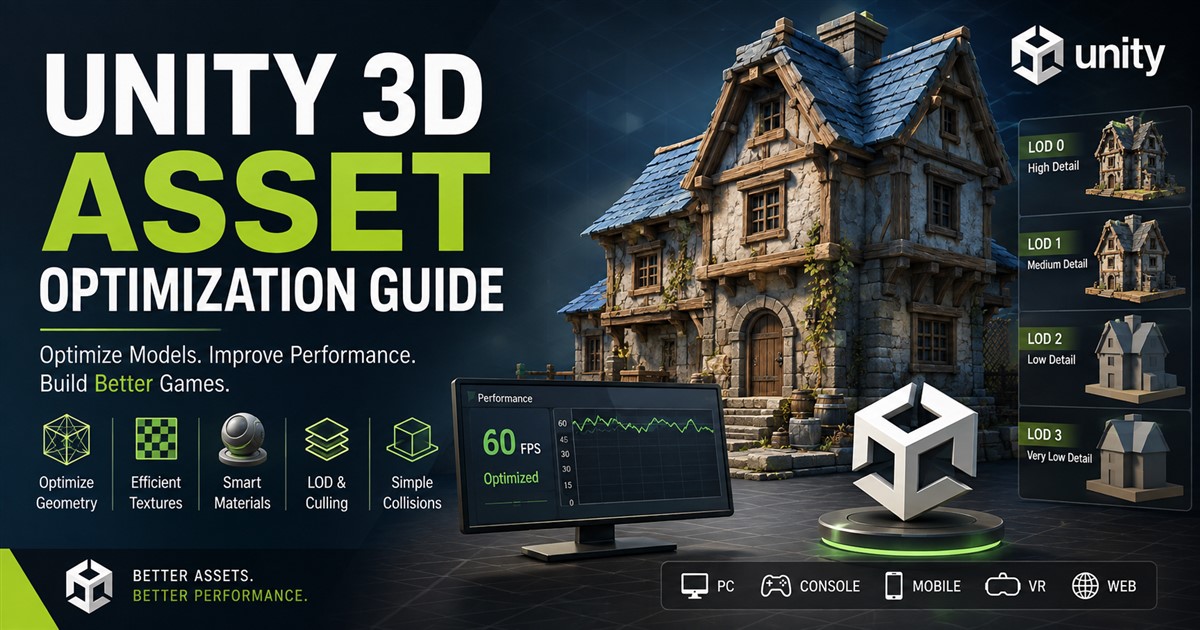
Game-ready models normally need careful attention to polygon count, topology, textures, materials, UV mapping, file formats, and optimization.
For example, a detailed character created for a cinematic render may need to be optimized before being used in a real-time game.
For more information about creating assets for games, see this guide to game-ready 3D models.
How to Choose the Right Type of 3D Modeling
The right modeling technique depends on what you need the final model to do. Before starting a project, consider the following questions:
- What is the purpose of the model?
- Does the model need exact dimensions?
- Will it be manufactured?
- Will it be used in a game or real-time application?
- Does it need realistic visual detail?
- Will the model need frequent design changes?
- What software will be used with the final file?
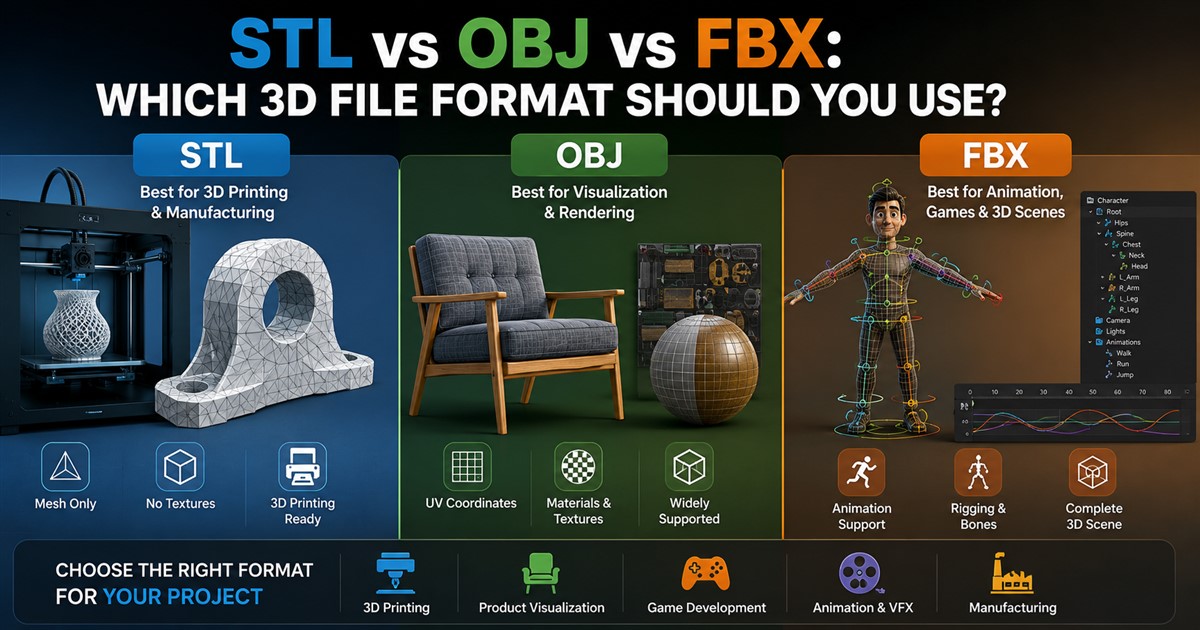
- Which file format is required?
- Does the model need textures and materials?
- How much detail is actually necessary?
For example, an engineering project may benefit from precise CAD or parametric modeling, while a game character may require polygonal modeling and digital sculpting. An architectural presentation may need detailed building geometry and realistic materials.
What Software Is Used for 3D Modeling?
There are many software tools available for 3D modeling. The best option depends on the type of model being created and the required output.
| Software Category | Typical Applications |
|---|---|
| CAD Software | Engineering, manufacturing, product design |
| Polygonal Modeling Software | Games, animation, VFX, visualization |
| Sculpting Software | Characters, creatures, organic details |
| Architectural Software | Buildings, interiors, BIM and architectural design |
| Real-Time 3D Software | Games, simulations, VR and interactive experiences |
Benefits of Using Professional 3D Modeling
Professional 3D modeling can help businesses reduce design problems, improve presentations, and communicate ideas more clearly. A well-made model can also be reused for different purposes.
Some important benefits include:
- Better visualization: See a product, building, or concept before it exists physically.
- Improved communication: Explain complex ideas using a visual representation.
- Design testing: Review shapes, dimensions, and components before production.
- Marketing opportunities: Create realistic visuals for websites, advertisements, and product pages.
- Reusable assets: One model can sometimes be used for renders, animation, games, presentations, and interactive experiences.
- Faster revisions: Digital models can often be changed without rebuilding a physical prototype.
3D Modeling vs. 3D Rendering
3D modeling and 3D rendering are related, but they are not the same thing.
3D modeling is the process of creating the digital object or environment. 3D rendering is the process of generating a visual image from that model using lighting, materials, cameras, and other settings.
For example, a designer may create a 3D model of a sofa first. A rendering artist can then add materials, lighting, a camera angle, and a background to produce a realistic product image.
Can One 3D Model Be Used for Multiple Purposes?
Yes. A well-created 3D model can sometimes be adapted for several applications. However, the model may need changes depending on where it will be used.
For example, a high-detail product model created for a marketing render may be too heavy for a website or real-time application. An optimized version may be needed for interactive use.
Similarly, a manufacturing model may need precise dimensions and engineering information, while a marketing model may focus more on appearance and presentation.
Frequently Asked Questions
What are the main types of 3D modeling?
The main types include polygonal modeling, surface modeling, solid modeling, CAD modeling, parametric modeling, direct modeling, digital sculpting, procedural modeling, and photogrammetry. The best method depends on the project’s purpose and required level of accuracy and detail.
Which type of 3D modeling is best for manufacturing?
CAD and solid modeling are commonly used for manufacturing because they can provide precise dimensions and detailed geometry. Parametric modeling can also be useful when designs need regular changes.
Which type of 3D modeling is used for games?
Polygonal modeling is widely used for game assets. Artists may combine it with sculpting, retopology, UV mapping, texturing, and optimization to create game-ready assets.
What is the difference between low-poly and high-poly modeling?
Low-poly modeling uses fewer polygons and is generally better suited to performance-sensitive applications such as games and real-time experiences. High-poly modeling uses more geometry to produce greater detail and is often used for realistic renders, visual effects, and detailed asset creation.
Is CAD the same as 3D modeling?
CAD is a category of computer-aided design software and workflows. CAD can include 2D drafting and 3D modeling. Therefore, not all CAD work is 3D modeling, although 3D CAD modeling is widely used in engineering and manufacturing.
Can 3D models be used for eCommerce?
Yes. 3D models can be used to create product renders, interactive product viewers, product configurators, animations, and other digital shopping experiences. They can help customers understand a product’s shape, features, and appearance.
How do I choose the right 3D modeling method?
Start by identifying how the model will be used. Manufacturing projects usually require accuracy, while games and real-time applications often require optimization. Marketing projects may prioritize realistic appearance and detail. The required software, file format, dimensions, and level of detail should also be considered.
Final Thoughts
There are many different types of 3D modeling, and each has a specific purpose. Polygonal modeling provides flexibility for games and animation, while CAD and solid modeling are useful for engineering and manufacturing. Parametric modeling makes design changes easier, while digital sculpting is excellent for organic and highly detailed objects.
The right approach depends on your project requirements, including accuracy, visual quality, polygon count, software compatibility, performance, and final use. Understanding these differences can help you choose a modeling workflow that produces better results without spending time or money on unnecessary work.
If you need professional help creating a 3D model for a product, building, manufacturing project, game, or visualization, you can contact a 3D modeling team to discuss your requirements and determine the best approach for your project.